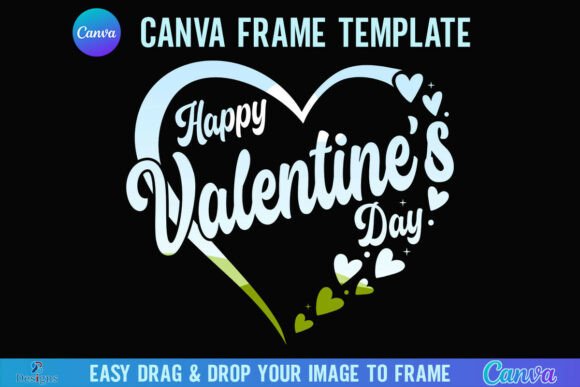
Celebrate Love with a Custom Valentine's Day Heart Frame
When you're preparing content for a holiday as visually driven as Valentine's Day, the difference between "good enough" and "standout" often lies in the framing. You might have a stunning photograph or a beautifully crafted graphic, but without the right context, it can feel incomplete. This is where the Happy Valentine's Day Heart Canva Frame enters the conversation. It isn't just a digital asset; it is a tool designed to integrate your content into a cohesive, romantic narrative instantly.
The Anatomy of a Perfect Valentine's Design Asset
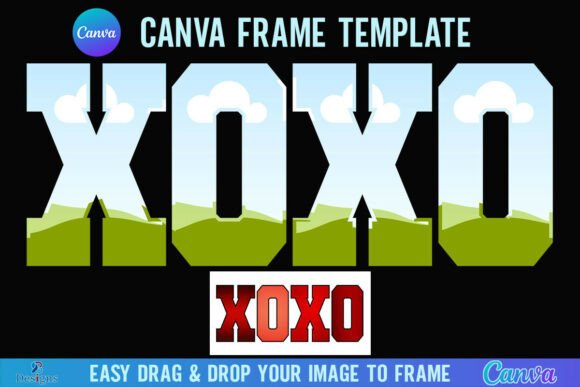
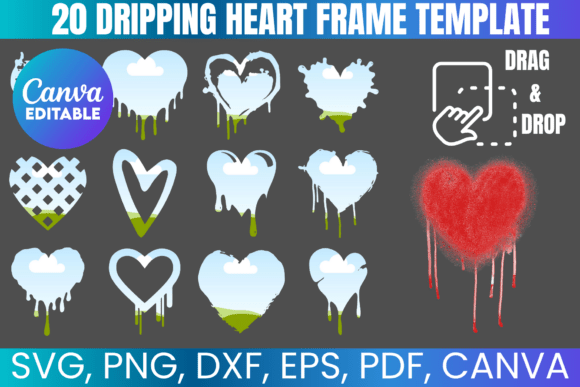
At its core, this product is a Canva Frame Template designed for ease of use and high-quality output. The visual style is unmistakably centered on the heart shape, the universal symbol of affection. However, the "personality" of this specific frame is defined by its versatility. Because it acts as a vessel for your own imagery, it doesn't impose a rigid style. Instead, it offers a structured yet flexible boundary. The frame is rendered at a substantial 4000x4000 px, ensuring that whether you are working on digital displays or high-resolution print materials, the edges remain crisp and professional. It embodies a modern aesthetic that avoids the clutter of older, more traditional clip-art styles, focusing instead on clean lines that let your content breathe.
The appeal here lies in the "drag-and-drop" functionality. For the busy entrepreneur or marketer, technical friction is the enemy of creativity. By utilizing Canva’s native frame technology, this asset allows you to take a standard PNG or JPG background image and instantly morph it into a thematic masterpiece. It transforms a flat photo into a piece of brand identity for the season.
Strategic Applications for Modern Creators
Understanding where this asset fits into your workflow is key to maximizing its value. This is not a one-trick pony; it is a versatile component of your broader design assets library.
1. Elevating Brand Identity and Social Media
For small business owners and content creators, consistency is currency. During February, your audience expects a shift in your visual language to acknowledge the holiday. The Happy Valentine's Day Heart Canva Frame allows you to update your social media graphics without a complete brand overhaul. You can use it to frame team photos, product shots, or customer testimonials. It adds a layer of thematic polish to Instagram Stories, Facebook posts, or Pinterest pins, signaling to your audience that your brand is current and engaged with cultural moments. It creates immediate visual hierarchy, drawing the eye directly to the center of the heart where your message lives.
2. Publishing and Editorial Design
If you are a blogger or involved in editorial design, the challenge is often finding unique visuals that don't look like stock photography. By using this frame, you can take an existing photo from your library and give it a fresh context. Imagine a lifestyle blog post about "Self-Love" or "Date Night Ideas"—placing the header image inside this heart frame instantly sets the tone. It works beautifully for digital magazine covers or newsletter headers, providing a premium font and graphic aesthetic that elevates the perceived value of your content.
3. Personal Projects and Crafters
It is important to note the specific utility for crafters and hobbyists. While this file is not suitable for use with Cricut Design Space or Silhouette cutting machines (as it is not an SVG), it is perfect for creating printable wall art, photo collages, or digital invitations. If you are planning a Galentine's party or a romantic dinner, you can design custom menus or place cards using this frame to hold the text or imagery, ensuring a cohesive aesthetic across all your printed materials.
Practical Workflow and Technical Considerations
Integrating the Happy Valentine's Day Heart Canva Frame into your projects is straightforward, provided you understand the technical requirements. The product delivery comes as a zip file containing a PDF. This PDF contains the direct link to the Canva template. Once you click the link, you are taken into the Canva editor.
A critical component of this workflow is the need for a FREE Canva account. Most designers and marketers already possess this, but it is worth noting for those new to the platform. The editing process is intuitive: you select the frame, upload your image to the "Uploads" tab, and drag your photo into the frame. Canva automatically clips the image to fit the heart shape.
However, there is a specific nuance regarding output that requires attention. If your project requires a transparent background—for example, if you want to overlay the heart-framed image onto a complex background in Adobe Photoshop or Illustrator—you must have a Canva Pro version or higher. The free version of Canva does not support transparent PNG exports. For designers and brand strategists who need this flexibility, the Pro subscription is a worthwhile investment, but it is essential to know this limitation before starting your work to avoid workflow bottlenecks.
Making the Most of Your Design
While the frame provides the structure, the content you place inside it drives the engagement. Here are a few professional tips for using this asset effectively:
- Color Harmony: Ensure the photo you drop into the frame complements the color palette of your overall project. If your brand colors are cool blues and greys, a warm, red-toned heart frame will pop, but ensure the photo inside bridges the gap between the two palettes.
- Focus on the Subject: Because the frame is heart-shaped, standard rectangular compositions might get cropped unexpectedly. Choose images where the focal point is dead-center. Close-up portraits or centered product shots work best.
- Layering for Depth: Don't just place the frame on a white background. Use it as a layer over a subtle texture or a gradient background. This adds depth to your web design elements or packaging design mockups.
Ultimately, the Happy Valentine's Day Heart Canva Frame is about saving time while maintaining a high standard of visual communication. It bridges the gap between raw content and polished presentation, allowing you to celebrate the season of love with professionalism and creativity. Whether you are updating a website banner or creating a personal scrapbook page, this tool offers a practical, stylish solution to your Valentine's design needs.